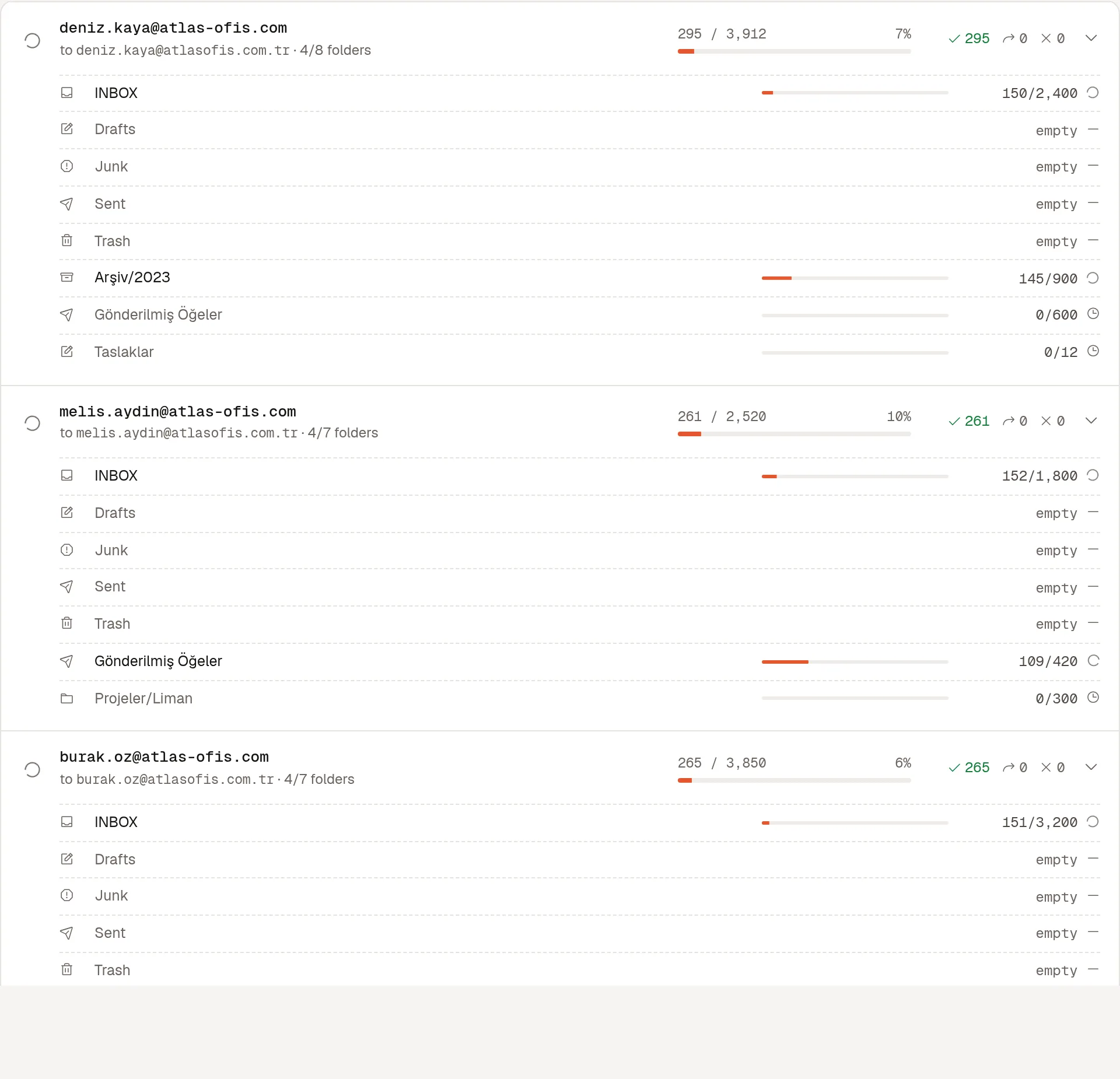
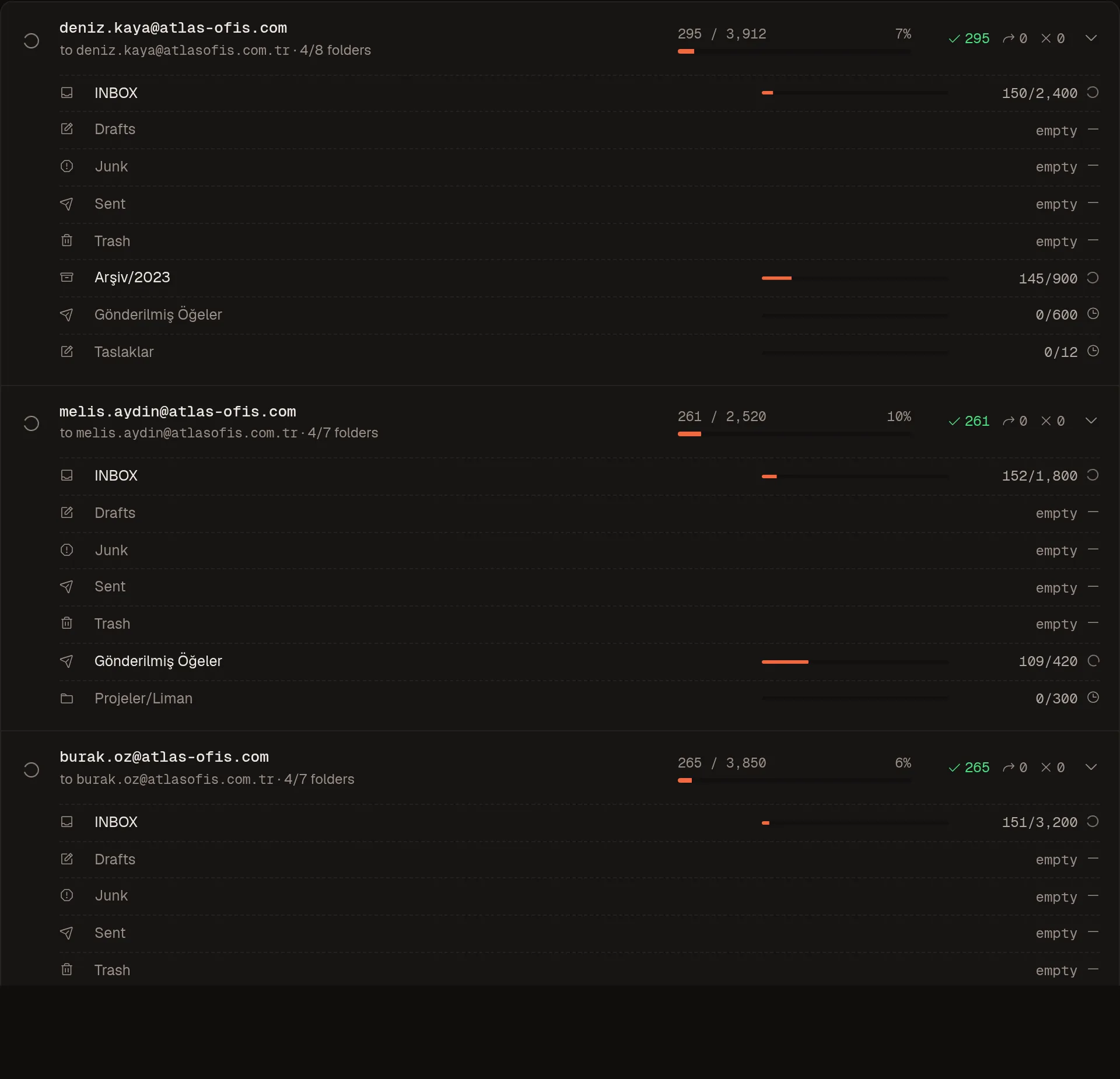
Progress for every account and folder
See copied, skipped and failed counts per folder while it runs, not just a spinner.
Copy whole accounts between any two IMAP servers, with folders, flags and dates intact. Stop anytime, resume later.
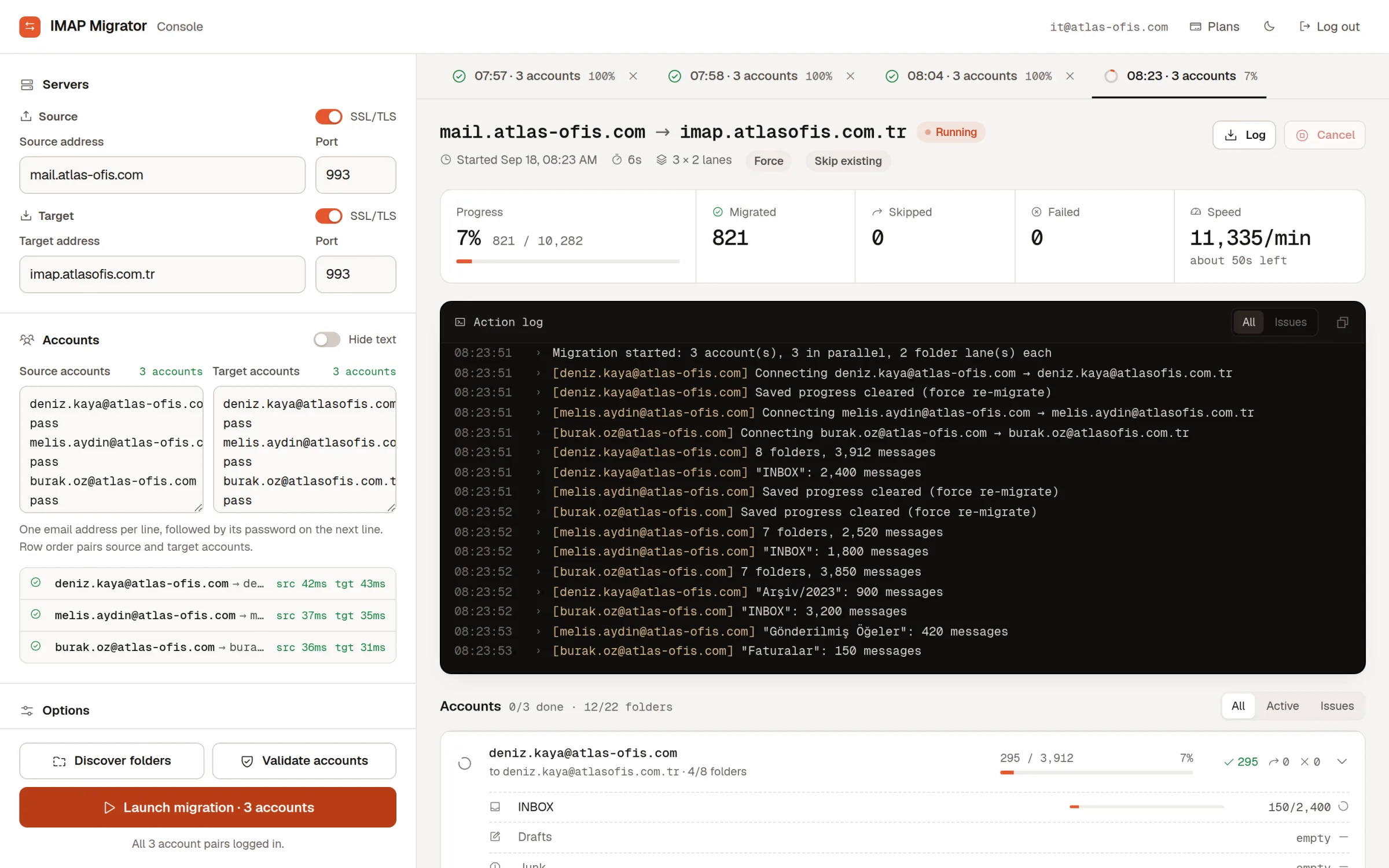
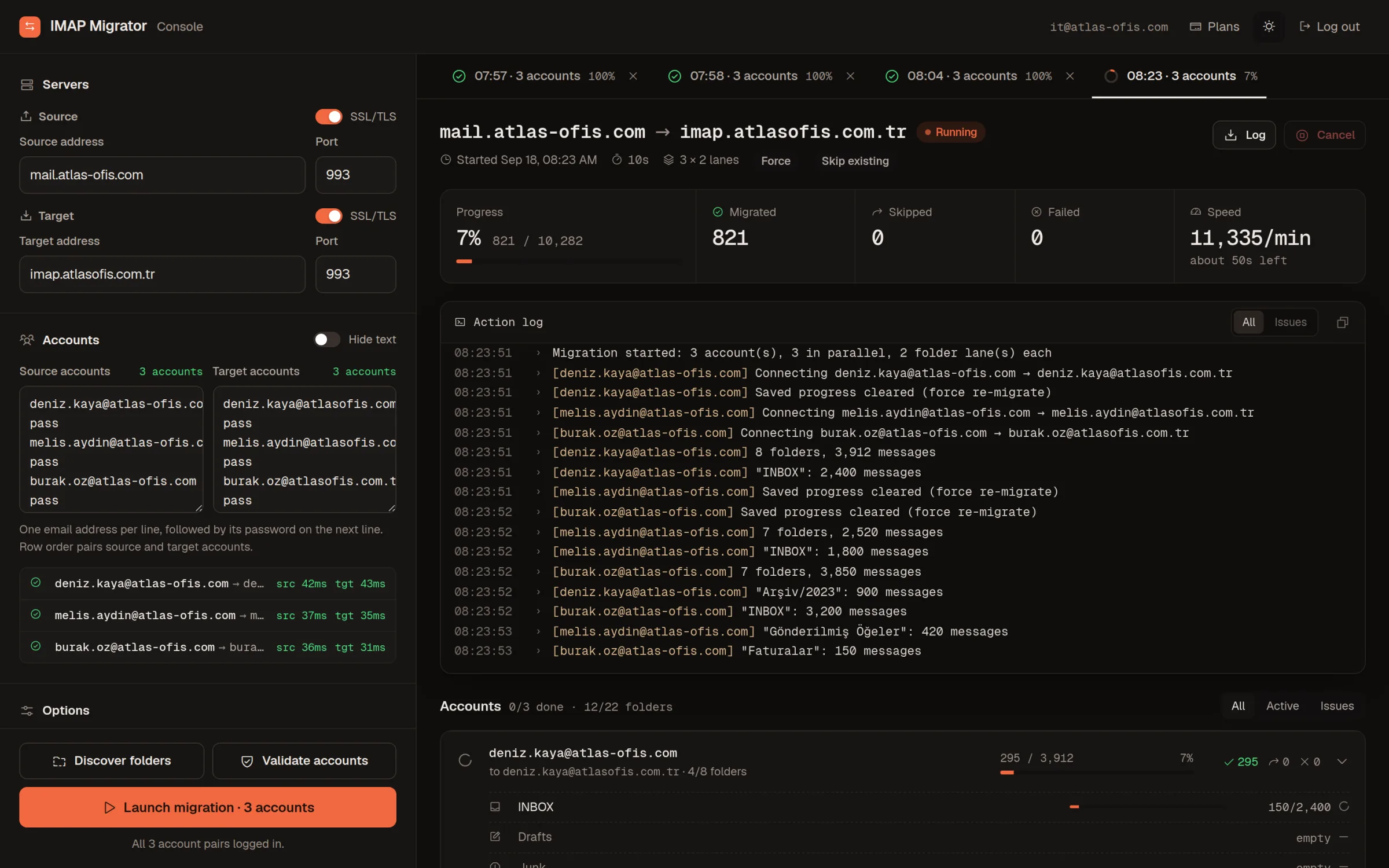
Most failed migrations fail on a wrong password or a folder nobody expected. The console catches both before a single message moves.
Enter the old and new server, then paste the accounts: one email per line, its password on the next.
Validate logs in to every account on both sides. Discover lists the folders with message counts, so you can leave Spam or Trash behind.
Accounts and folders run side by side. Every copied message is recorded, so a rerun continues where the last one stopped.
See copied, skipped and failed counts per folder while it runs, not just a spinner.
Every connection, folder and failure, in order, for each run.
Dropped connections and stopped workers are recovered on their own. Nothing is copied twice.
Choose how many accounts and folders move at once. Lower it for providers that limit logins.
Different layouts and Turkish characters are translated for the new server.
The source is only read, and what lands on the new server is the original message, not a copy of a copy.
Step-by-step guides with the exact server settings and sign-in method for each provider.
See how many messages each account holds before anything is copied.